Search Console Platform Properties Tracks Your Social Media Performance Live
Three reports power every platform property in Search Console. Each report answers a different question about your content. Together, they give a full picture of your search visibility.
The Performance Report Explained
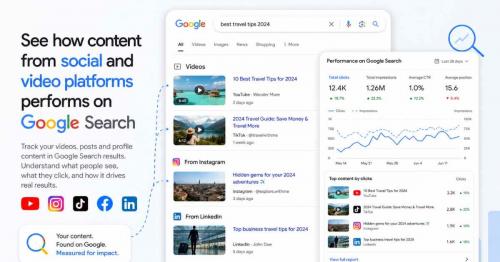
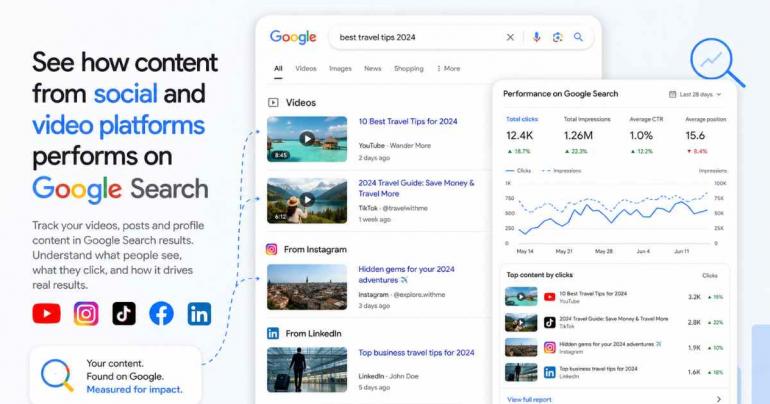
This report shows your total clicks and impressions. You can filter this data by individual post. You can also filter it by the exact search query used.
Sorting by clicks reveals which posts drive the most traffic. Sorting by query shows what people actually typed to find you. Both views help you plan future content.
You can export this data if you prefer another tool. This makes it easy to combine with website Search Console data. Many teams already track both side by side.
The Insights Report Explained
This report gives a higher level summary. It shows recent traffic trends over time. It also highlights your top performing posts automatically.
You get a quick read on how people discover your account. This report suits fast weekly check-ins better than deep analysis. Use it before diving into raw Performance data.
The Achievements Section Explained
This section tracks growth milestones for your account. It celebrates moments like reaching a new click threshold. Thresholds typically apply to your last 28 days of traffic.
This feature adds motivation for creators watching their growth. It also gives a simple way to share wins with a team. Small milestones can matter for morale over time.
How These Reports Work Together
Start with Insights for a fast overview each week. Move into Performance when you need specific answers. Check Achievements occasionally to track long term progress.
This structure matches how website Search Console already works. Familiar structure means less of a learning curve for users. Anyone who reports on websites will feel at home here.
What These Reports Do Not Show
None of these reports track native engagement like likes. They do not measure watch time inside the platform app. They only measure what happens through Google Search and Discover.
A view in Google's own video player still counts as a click. A native app view without Search involvement does not count. Keep this distinction in mind during analysis.
Using These Reports for Real Decisions
Pull your top queries from the Performance report each month. Feed those queries into your captions and titles. This can improve how future posts get discovered on Search.
Compare Google driven clicks with your in-app analytics regularly. This tells you what share of reach actually comes from Search. That number often surprises creators the first time.
Frequently Asked Questions
Q: Which report should I check first?
Start with the Insights report for a quick weekly summary. Move to Performance when you need query level detail.
Q: Can I export this data elsewhere?
Yes, the Performance report supports data export for outside analysis. This works well alongside spreadsheets or business intelligence tools.
Q:Do Achievements affect my search rankings?
No, Achievements are motivational milestones only. They do not influence how your content ranks in Search.
tag: search-console-performance-report
Share This Post